*English below
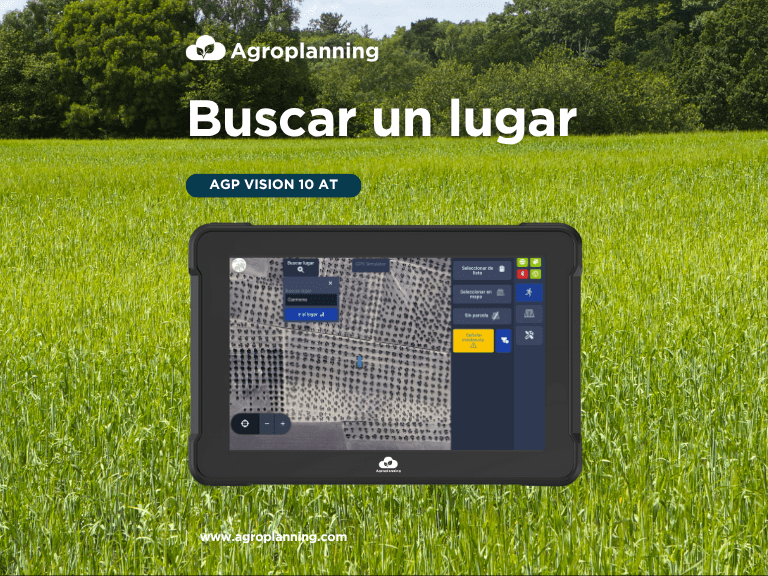
Si alguna vez te has preguntado cómo llegar al punto exacto donde empezar tu tarea, nuestra tablet AGP Vision 10 AT tiene la solución perfecta: la opción “Buscar un lugar”.
Cómo funciona:
• Selecciona tu destino: Utiliza el cuadro de búsqueda en la parte superior izquierda de la pantalla, donde pone “Buscar lugar”, para escribir la dirección a la que quieres ir. Si quieres ir directamente a una parcela, solo tienes que hacer clic sobre ella y te preguntará si quieres trabajar o ir al lugar.
• Información clara de la ruta: Una vez seleccionado el destino, en el lado derecho de la pantalla verás:
- Tiempo estimado de llegada
- Distancia hasta el lugar
- Duración aproximada del recorrido
• Finaliza el guiado cuando quieras: Solo tienes que pulsar el botón rojo para terminar la navegación.
También puedes configurar que no se utilicen autovías para el cálculo de la ruta.
💡 Es fácil, intuitivo y pensado para que llegues a tu destino sin complicaciones.
Con AGP Vision 10 AT, tu trabajo comienza justo donde debe empezar, ahorrando tiempo y evitando confusiones.
¡Gracias por confiar en Agroplanning!
Síguenos en nuestro LinkedIn para ver más tutoriales y artículos de interés.
#AGPVision10AT #Agroplanning #AgriculturaDigital #Agrotech #GestiónAgrícola #CampoInteligente #AgriculturaSostenible
—
🚜 AGP Vision 10 AT: Easily reach your work field 🌱
If you’ve ever wondered how to get to the exact spot where you need to start your task, our AGP Vision 10 AT tablet has the perfect solution: the “Navigate to a place” option.
How it works:
• Select your destination: Use the search box at the top left of the screen labelled “Search place” to type the address you want to go to. If you want to go directly to a field, simply click on it and it will ask if you want to work or go to the place.
• Clear route information: Once your destination is selected, the right side of the screen will show:
- Estimated time of arrival
- Distance to the location
- Approximate duration of the route
• End navigation whenever you want: Just press the red button to finish the guided route.
You can also configure the options to avoid highways in the route calculation.
💡 It’s easy, intuitive, and designed to get you to your destination without complications.
With AGP Vision 10 AT, your work starts exactly where it should, saving time and avoiding confusion.
Thank you for trusting Agroplanning!
Follow us on LinkedIn to see more tutorials and interesting articles.
#AGPVision10AT #Agroplanning #SmartFarming #DigitalAgriculture #AgriTech #FarmManagement #SustainableFarming